Preserve Data Integrity & Accessibility

Every day, your organisation receives a flood of seismic and well data, and without a consistent way to catalog and retrieve it, important requests can sit in inboxes for days.

Exploration Archives is a centralized software system for your geological, geophysical, seismic data and survey data to help your data management team and geoscientists quickly find the information they need, share it with the right people, and keep projects moving.

It’s reassuring to know that data we don’t use every day is still properly stored and easy to find when we need it.

Why Managing Geophysical Data Is Easier With Exploration Archives

It's estimated that geophysicists spend as much as 40% of their time just looking for data.

Stop wasting time searching for files.

Make acquisition data easily accessible for data managers, end users, business analysts, and partners.

Improve data quality.

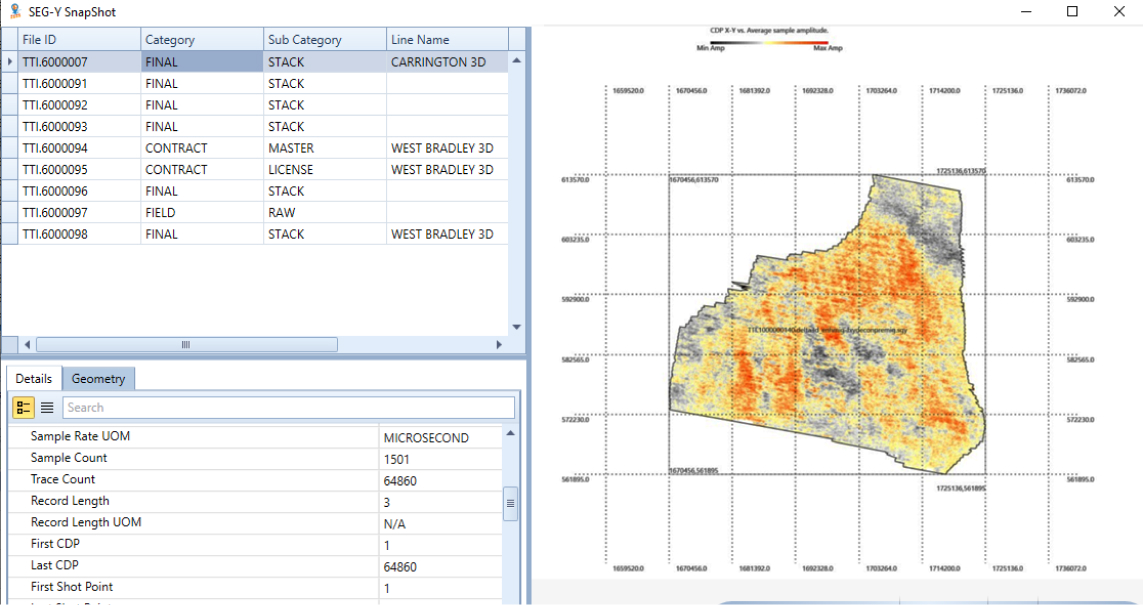
Exploration Archives creates instant snapshots of your files for faster review.

Reduce storage requirements.

Data snapshots give you a clear picture of what your files contain so you choose the right one before downloading it, significantly reducing storage needs.

Adapt to your workflows.

Exploration Archives integrates with popular geoscience applications like Esri and ArcGIS and supports on-premise, cloud, or hybrid hosting.

Exploration Archives filters data into project categories and creates instant snapshots of files so you can:

What Can You Do With Exploration Archives?

Manage seismic and well data on any storage platform

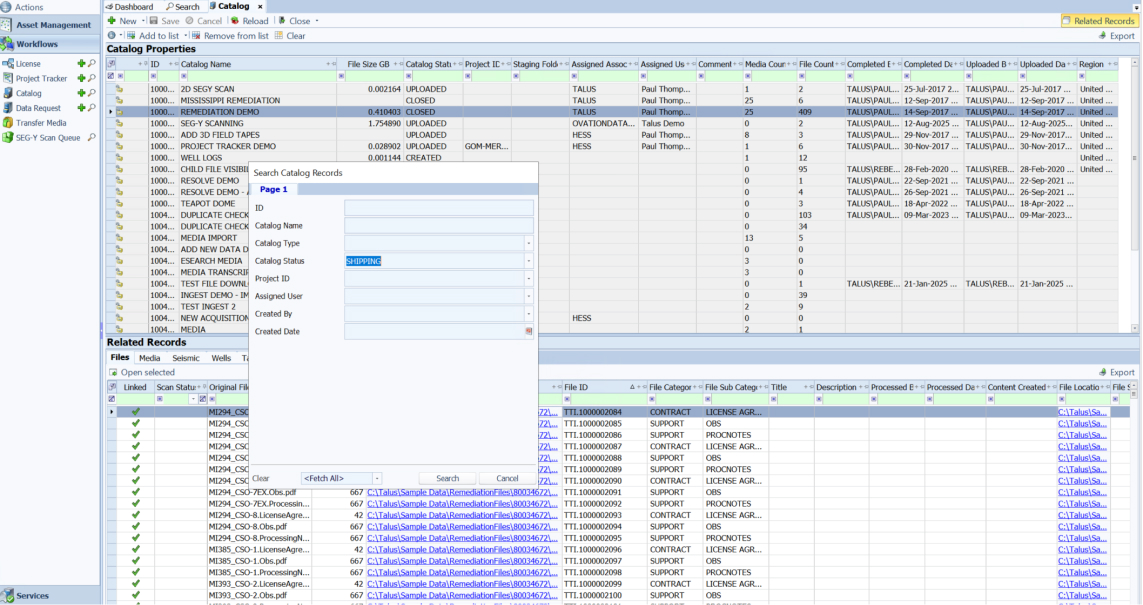
Load, organise, and track exploration datasets from any storage system. The Exploration Archives Seismic and Well Data modules let you:

  • Assign metadata through guided cataloguing tools to keep seismic and well data structured and searchable.
  • Link files and documents to projects, surveys, fields, and physical media for complete traceability.
  • Monitor the movement of both digital files, and physical items using built-in audit trails and warehouse tracking.

Find geophysical data in minutes

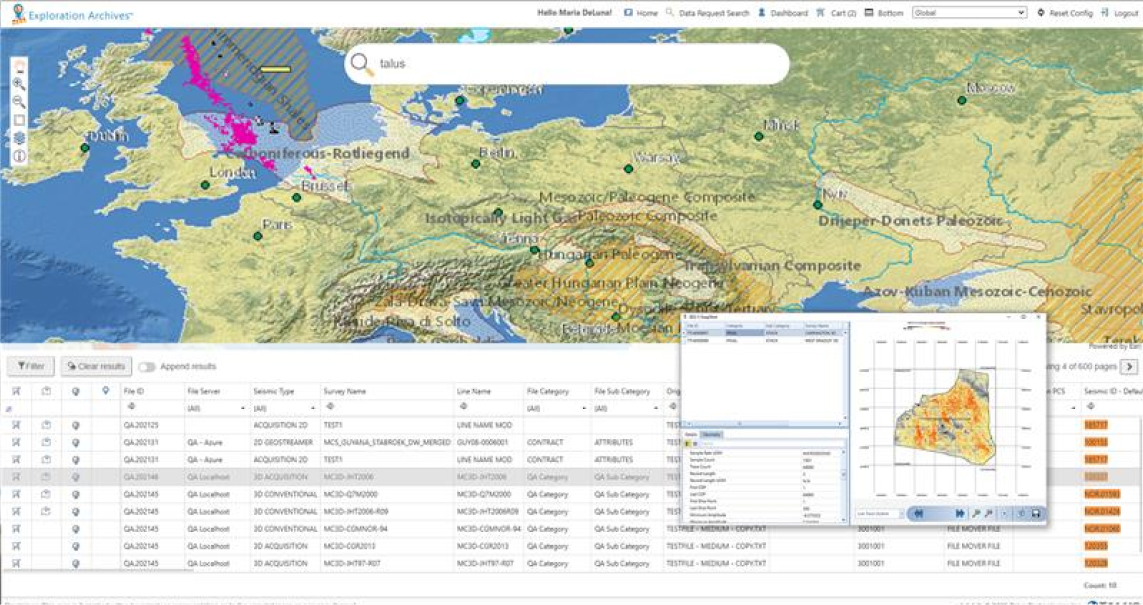
Stop searching spreadsheets, folder structures or legacy tape indexes. Use the  powerful Data Request and Unified Search Engine modules to:

  • View and compare data across multiple systems from a single interface.
  • Locate information by category, metadata, free-text search or map-based browsing.
  • Identify files stored online, offline or in physical warehouses, using a consistent search experience.

Simplify seismic data processing and QC with data snapshots

Automatically generate compressed previews of seismic files that include live trace outlines, amplitude maps, coordinates, s, time sections, EBCDIC header, and SEG-Y attributes. Use the SEG-Y SnapShot™ & SEG-Y Scan modules to:

  • Confirm data relevance before loading full volumes to processing workstations.
  • Perform QC tasks faster with standardised snapshot outputs.
  • Reduce online storage requirements with compressed previews of your files.

Improve subsurface insight with an interactive map

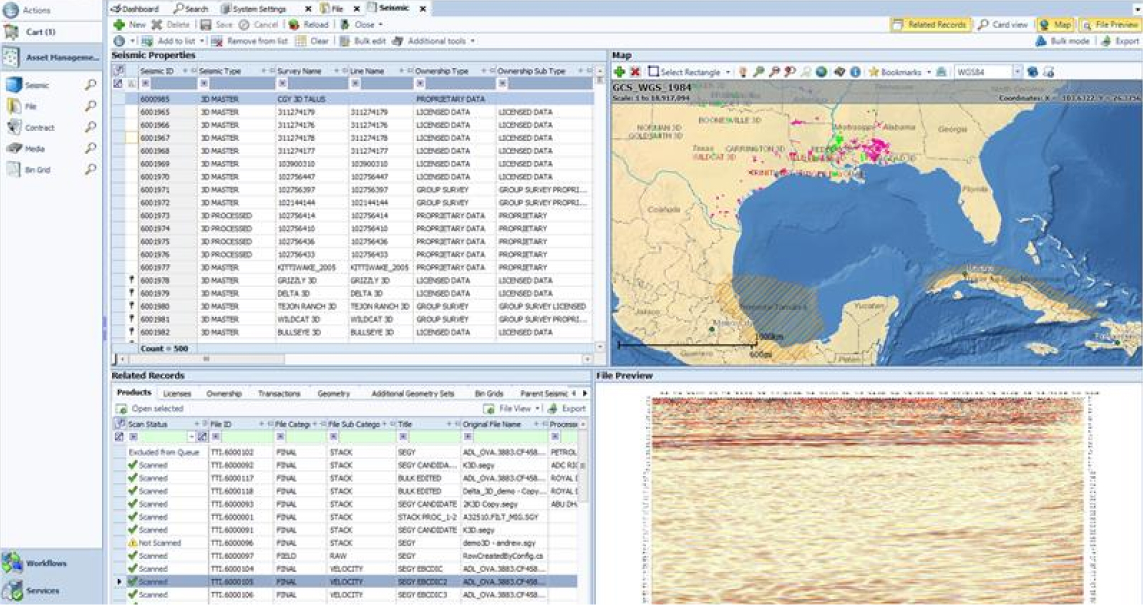
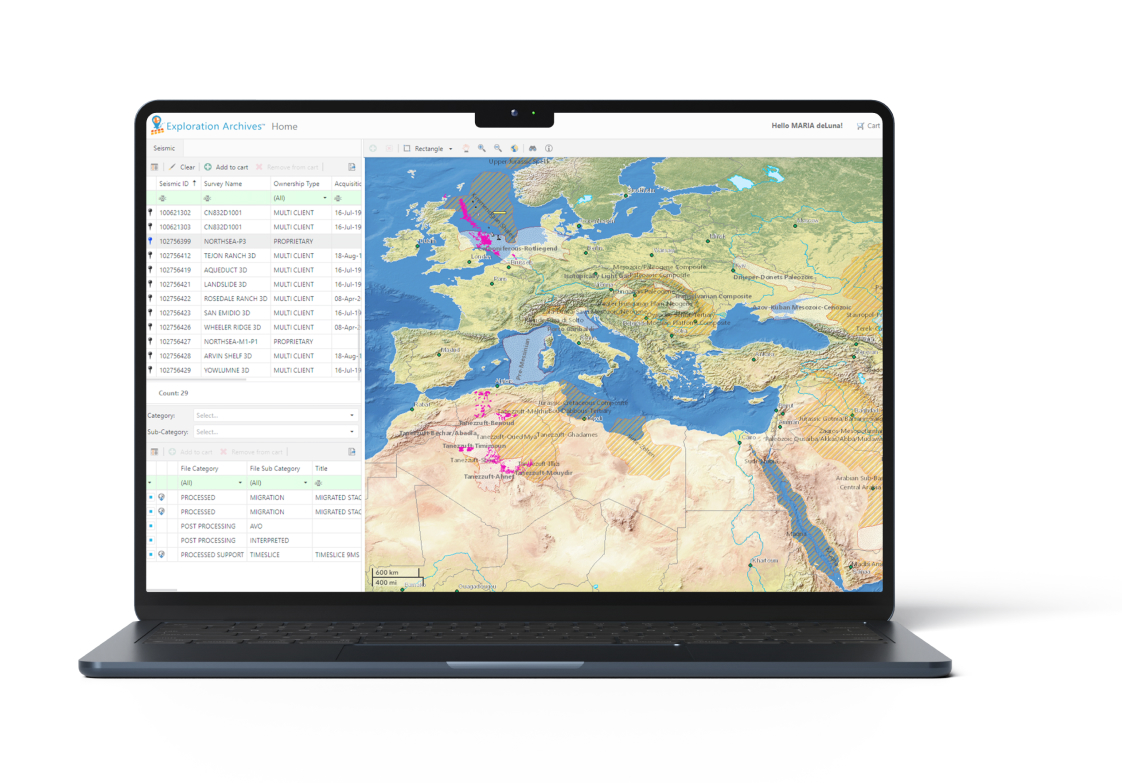
See your seismic and well data in a spatial context through an integrated map that connects with your GIS tools. With the Map View & GIS modules you can:

  • Overlay datasets to check quality, validate navigation, and compare attributes.
  • Drill into record details directly from the map.
  • Export or download selected data to your preferred desktop environment.

Keep projects moving with admin and project tracker tools

Support acquisition, processing, and delivery workflows with tools that keep stakeholders aligned. With the Admin Console & Project Tracker modules, you can:

  • Track project deliverables and contract milestones in real time.
  • Maintain a secure record of administrative files such as contracts, invoices and transactions.
  • Automatically notify stakeholders when files are ready or action is required.

Check out warehouse items with the MobileMedia™ scanner

Make physical files more accessible with a real-time database of items in your warehouse. With the MobileMedia scanner, you can:

  • Quickly locate items in their exact location by aisle, bay, shelf, and box.
  • Route and pick items for an order or QC.
  • Re-barcode physical items.

Who Uses Exploration Archives?

Different roles benefit from Exploration Archives in distinct ways. For instance:

  • Data Managers use it to easily access, organise and deliver data faster.

  • Explorationists use it to request and track the data they need.

  • IT leaders use it to implement secure, scalable workflows while reducing storage requirements.

  • Business analysts and partners use it to quickly find and order exploration data.

Flexible Deployment Options

Exploration Archives is designed for flexible deployment and seamless integration. It connects with existing network infrastructure and existing geoscience applications, including:

  • Oracle

  • Esri

  • FME

  • WCF

  • Aspera

  • Ocean

  • INT

  • Microsoft SQL Server

Where Exploration Archives Fits Into Your Workflow

Exploration Archives gives you an effective data management system that fits seamlessly into your workflows.
1

Data Acquisition

Your team has large volumes of data assets as a result of a new survey or acquisition. You need help organising files to make them easier to find and reduce storage costs.
2

Data Management

Efficiently manage orders for both digital and physical data with software that locates the right files and tracks transmittals.
3

Data Archiving

Ensure your data stays clean, organized and easy to retrieve with QC workflows that automatically detect errors or duplication.
FAQs

Frequently Asked Questions About Geophysical Data Management Software

What is geophysical data management software?

Geophysical data management software helps organisations to manage, manipulate, store and organise large volumes of geological and geophysical data with precision. It keeps seismic and well datasets organised, discoverable and ready for use, enabling teams to find files, access multiple repositories through a single system, perform quality control and track project fulfilment quickly. Modern systems also integrate with popular geoscience tools, support flexible deployment and enforce security and governance to ensure the data remains accurate and accessible.

How do we choose the right data management solution?

Look for a platform that can handle the high volume and complexity of seismic and well data. The right solution should integrate with your existing geoscience applications and network infrastructure, providing a single access point to online, near‑line and offline data while maintaining data integrity and security. It should also accommodate custom workflows and user roles so you can tailor processes, manage user profiles and define metadata standards. Finally, ensure the architecture supports distributed, multi‑user access so global teams can collaborate without latency or data‑silos

How does Exploration Archives improve data quality?

Automated quality‑control processes are built into the workflow. During data migration and cataloguing, SEG‑Y files are checked to ensure they meet format standards, and metadata is extracted to improve traceability. This reduces human error and ensures the data your teams retrieve is accurate and ready for analysis.

What types of data can Exploration Archives handle?

The platform manages seismic and well data in a variety of digital and physical formats. Snapshots generated by SEG‑Y Scan include live trace outlines, amplitude maps and SEG‑Y attributes, allowing you to preview datasets before loading them fully. You can also attach documents and link files to projects, surveys or fields to maintain context.

How does Exploration Archives help us find data faster?

Exploration Archives uses extensive storage and indexing protocols to support a powerful search engine. Users can search by data category, free‑text terms or geographic location, and the system surfaces relevant data from both online and offline storage without the need to cross‑reference spreadsheets or maps.

Does Exploration Archives integrate with our existing software?

Yes. The platform integrates with existing network infrastructure and aligns with geoscience applications such as Esri ArcGIS. A distributed architecture makes it easy to connect to storage platforms anywhere and to integrate with other Petrosys Group solutions like Interica Data Centre.

What is SEG‑Y Scan and how does it reduce storage?

SEG‑Y Scan is a tool within Exploration Archives that creates compressed snapshots of seismic data files. These snapshots give you enough information to determine whether a file is relevant to your project, so you only download and store what you need. This lowers storage costs and accelerates data selection.

Is Exploration Archives available on‑premises or in the cloud?

Yes. The Exploration Archives distributed architecture supports on-premise, cloud or hybrid hosting with secure multi-user access anywhere.

Schedule a Call To Secure Your Data

Discover how Exploration Archives helps you organise, manage and act on your data. Schedule a call with our experts.